How to Export GPX from Navionics
Follow these 4 simple steps to get your sailing tracks from Navionics into Bosco.
1
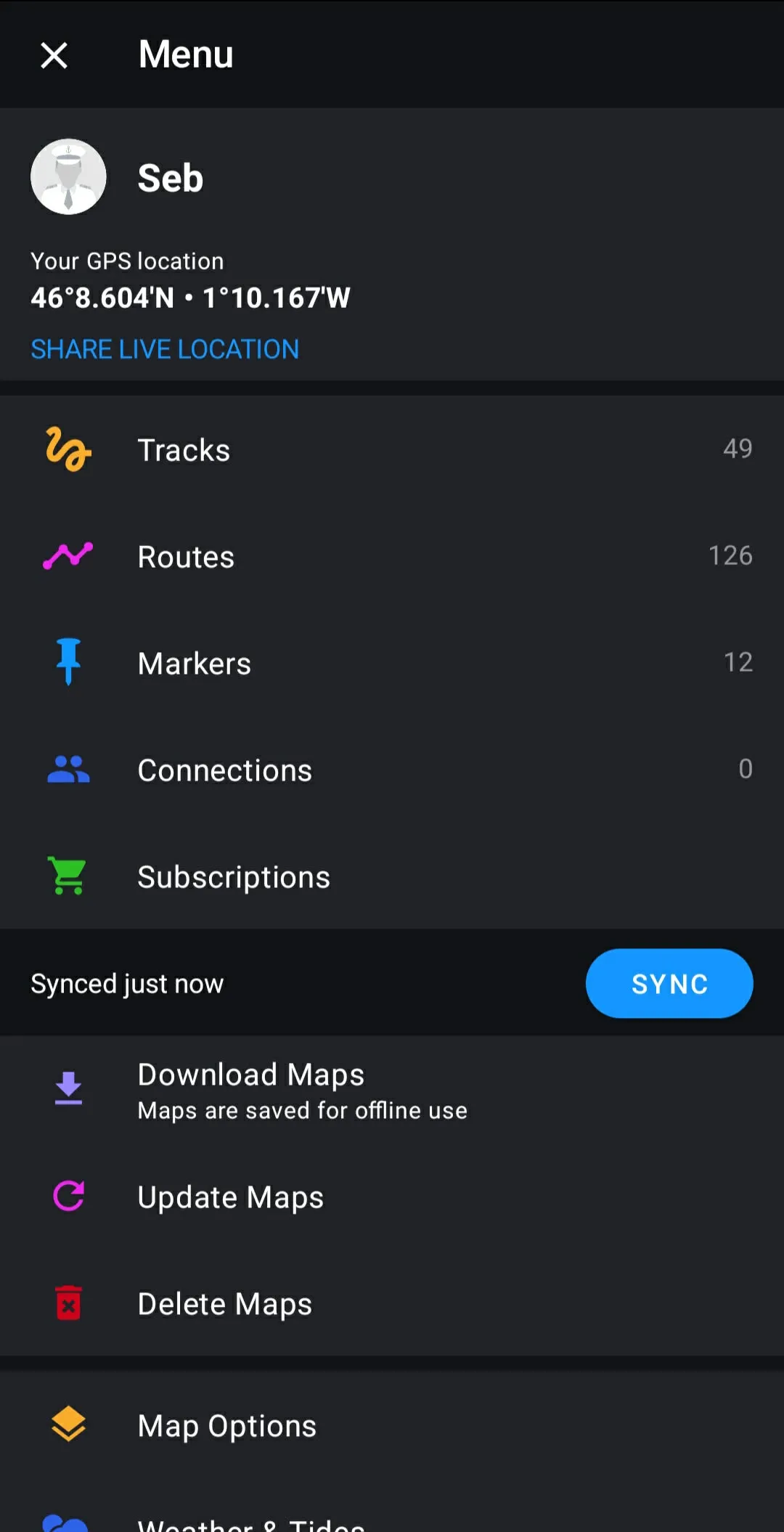
Open your tracks
In the Navionics Boating app, open the menu and tap "Tracks". You'll see all your recorded tracks sorted by date.
2
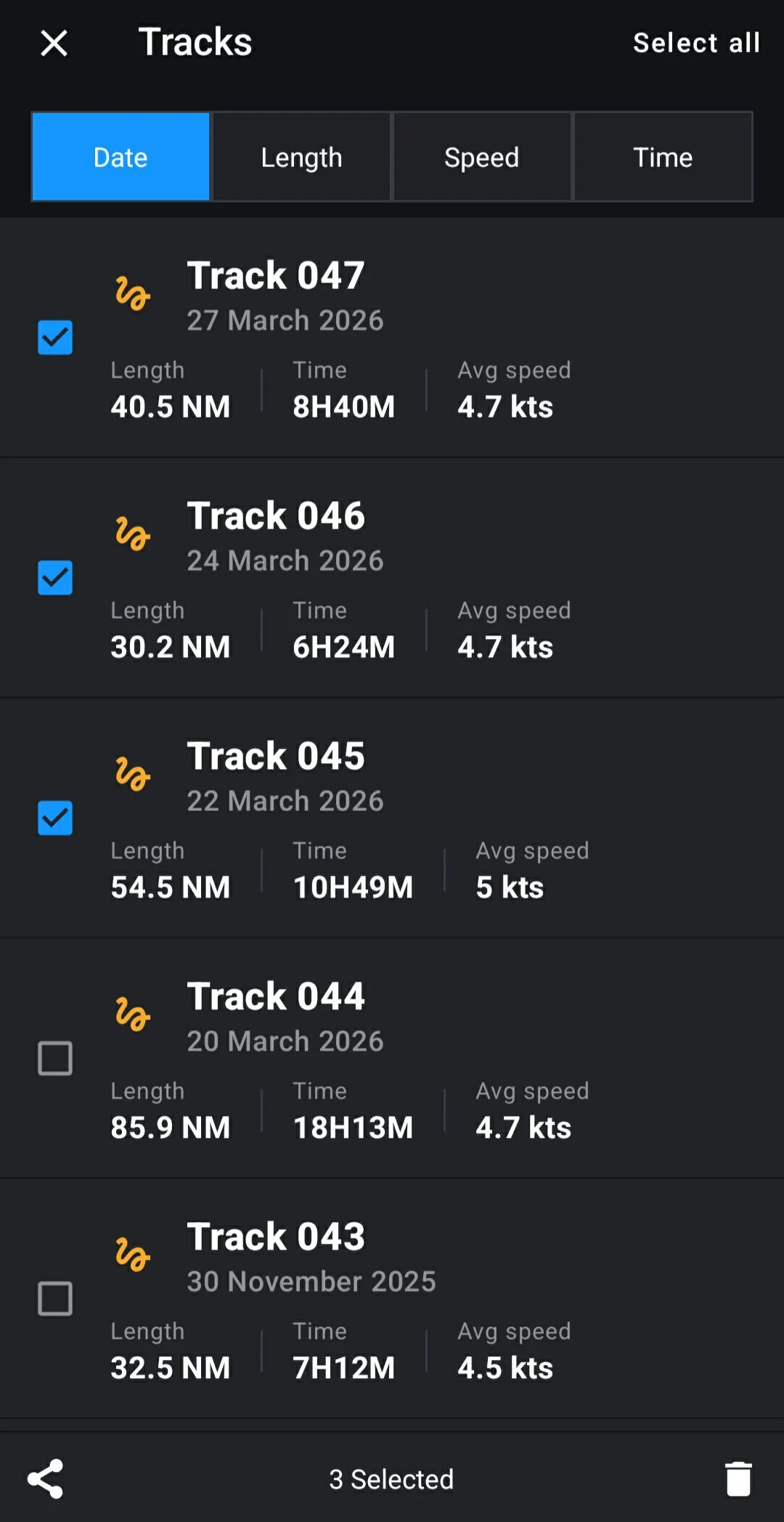
Select your tracks
Long-press a track to enter selection mode, then check the tracks you want to export. You can select one or several at once.
3
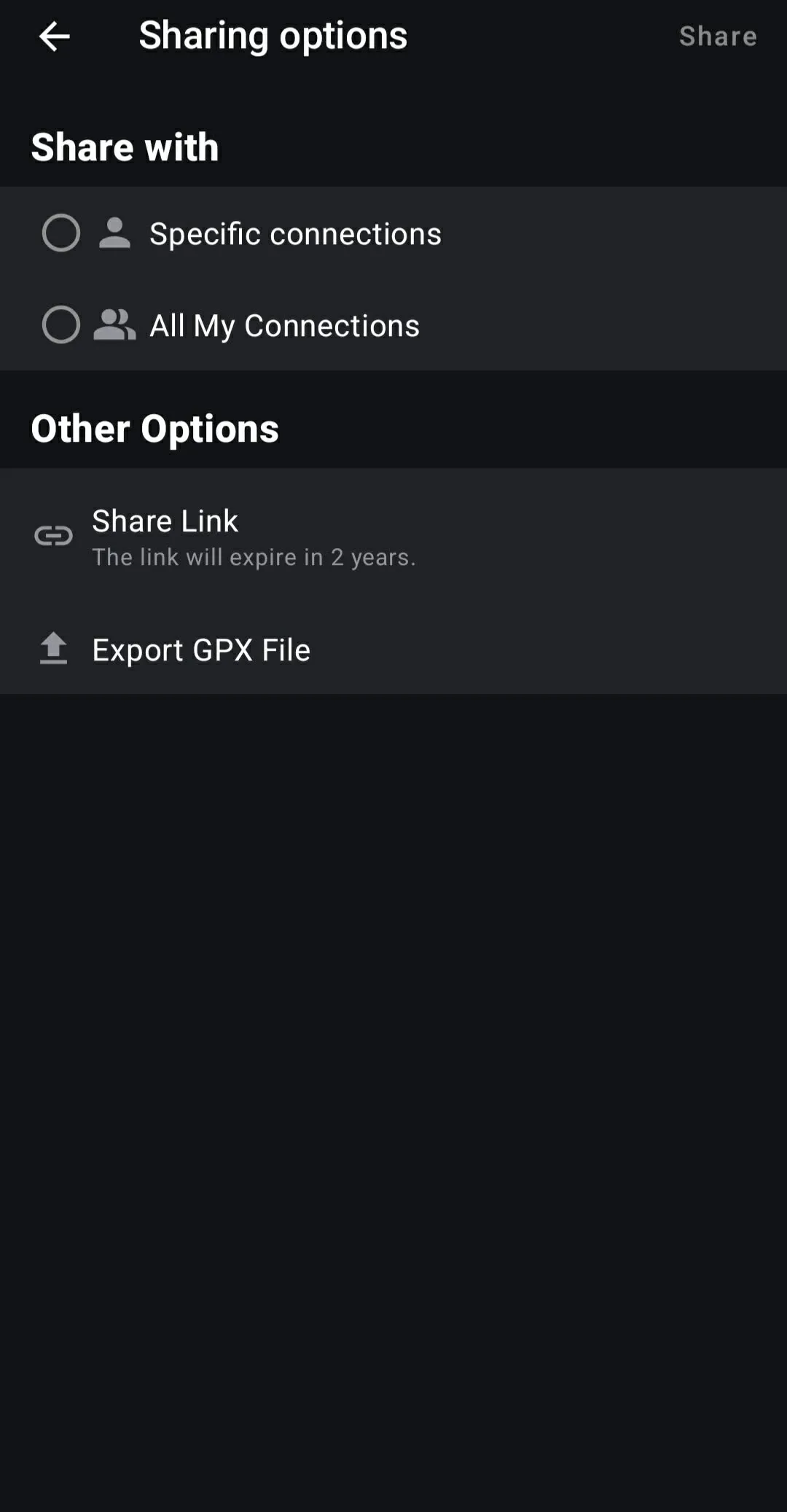
Export as GPX
Tap the share icon at the bottom, then choose "Export GPX File" under Other Options. This is the standard format Bosco uses.
4
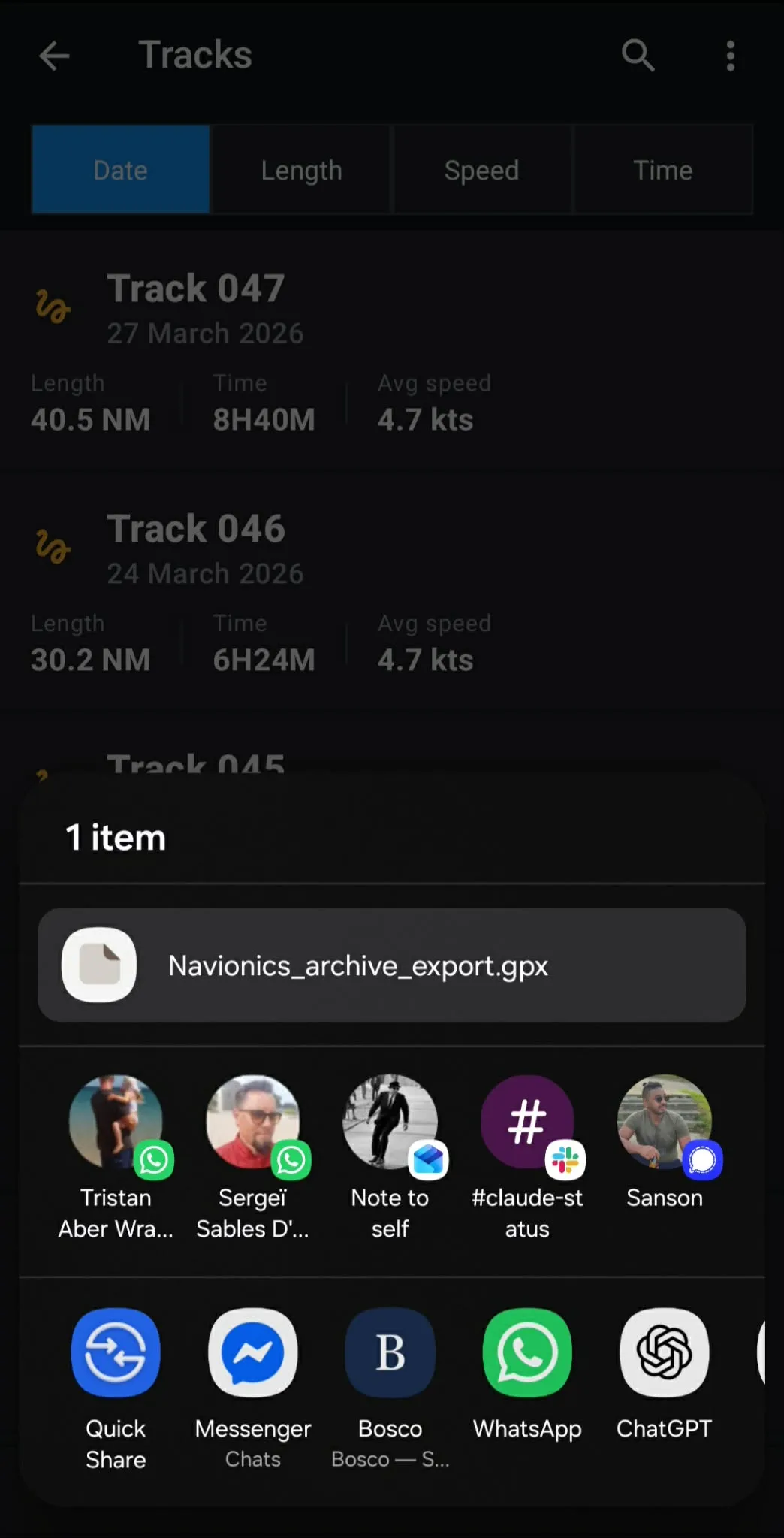
Send to Bosco
The share sheet opens with your .gpx file ready. Choose Bosco to import directly, or save the file and import it later.